
Apex Launcher4.9.36 - Get APK
You'll be able to download in few seconds.
Publisher Description
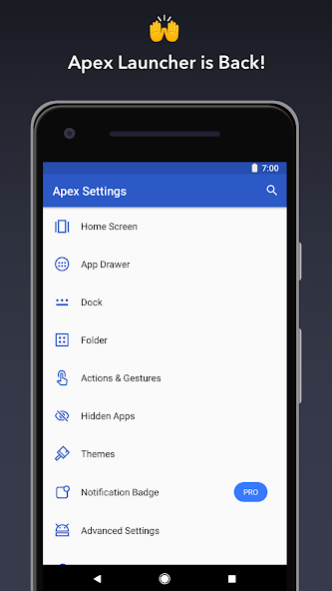
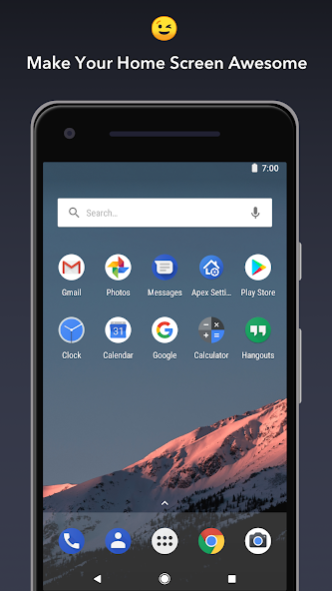
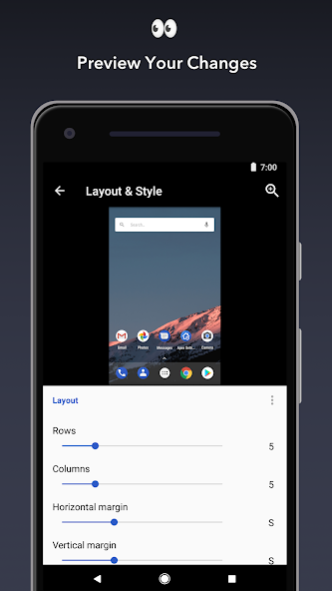
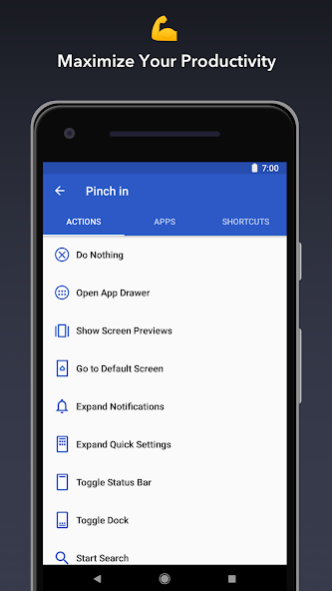
🏆Apex Launcher, choice of 10,000,000+ users!
Apex Launcher brings:
★Personalized Customization
- Free icon packs and themes to personalize your phone interface. Stylish 3D transition effects to redefine your stylish launcher.
★App Lock--Secure and Protect
- Hide & lock apps to protect your privacy.
★Efficiency and Fast Speed
- Quick search, gestures, backup & restore to boost your work!
Features:
🔐
AppLock--Protect privacy with pattern and password. ( Fingerprint app lock is on the way!)
🔐
☞AppLock can lock Facebook, Whatsapp, Gallery, Messenger, Snapchat, Instagram, SMS, Contacts, Gmail, Settings, incoming calls and any app you choose. AppLock can hide pictures and videos. Prevent unauthorized access and guard privacy. Ensure security.
☞Never worry about someone snooping around your private data! Now Apex Launcher supports AppLock protection through setting pattern or pin password. And fingerprint AppLock will come soon, please stay tuned!
☞You can also customize your own app lock and time. AppLock help protect your privacy wherever and whenever!
🏠
Personalized Themes & Icon Pack Center
Customizable home screen and app drawer grid size. Custom icons, themes, and labels for shortcuts and folders
☝️
Efficiency
Scrollable dock with up to 10 icons per page and up to 5 pages
🔃
Easy to Use
Infinite & elastic scrolling (home screen, drawer and dock)
👕
Effects
Fancy transition effects (tablet, cube, etc.)
🎨
Optimize
Hide elements as you want (status bar, dock, etc.)
📂
Customization
Choose different folder preview styles and background
🔧
Manage with Ease
Drawer apps sorting (title, install date, mostly used)
🙈
Hide Apps
Hide apps from the drawer
🔐
Locker
Lock your desktop to prevent accidental changes
🙌
Gesture Operation
Convenient home screen gestures (pinch, swipe up/down, double tap)
🚀
Themes to Explore
Advanced theme engine (icon packs, skins, etc.)
💡
Backup
Backup/restore settings and data
😉
All Devices
Optimized for both phones and tablets
💕
More to Find!
Lots of other customization options!
Apex Launcher Pro (Paid Version) Features:
🔥 Powerful drawer customizations (sort apps and folders in drawer)
🔥 Unread count notifications (provided by the free
Apex Notifier
extension)
🔥 Convenient icon gestures (swipe up and down actions)
🔥 More gesture options (two-finger gestures)
🔥 Additional transition effects (accordion, cross, etc.)
🔥 Enhanced folder support (bulk add, merge folders)
🔥 Advanced widget options (widgets in dock and overlapping)
🔥 More features on the way!
Tips:
• Long press 👆 an icon and drag it over another icon to create a folder.
• Long press icons/folders on the desktop and choose edit from the popup menu to customize icons and labels.
• Set Apex Launcher as the default home screen app to create icon shortcuts from other apps (e.g., Chrome).
This app uses the Device Administrator permission for optional screen off/lock functionality.
Love Apex Launcher 💕? Rate us 👍 on Google Play. We’re always trying to make Apex Launcher better. If you have questions or suggestions, please share them with us 😉 !
About Apex Launcher
The company that develops Apex Launcher is Android Does Team. The latest version released by its developer is 4.9.36.
To install Apex Launcher on your Android device, just click the green Continue To App button above to start the installation process. The app is listed on our website since 2023-04-18 and was downloaded 0 times. We have already checked if the download link is safe, however for your own protection we recommend that you scan the downloaded app with your antivirus. Your antivirus may detect the Apex Launcher as malware as malware if the download link to com.anddoes.launcher is broken.
How to install Apex Launcher on your Android device:
- Click on the Continue To App button on our website. This will redirect you to Google Play.
- Once the Apex Launcher is shown in the Google Play listing of your Android device, you can start its download and installation. Tap on the Install button located below the search bar and to the right of the app icon.
- A pop-up window with the permissions required by Apex Launcher will be shown. Click on Accept to continue the process.
- Apex Launcher will be downloaded onto your device, displaying a progress. Once the download completes, the installation will start and you'll get a notification after the installation is finished.
Program Details
System requirements
Download information
Pricing
Version History
version 4.9.36
posted on 2023-04-18
version
posted on 2019-09-19
1. Bugs fix.
version
posted on 2019-09-11
Handy Menu Panel - Screen Manager, AppLock, Hidden Apps, Themes and many more handy tools are at your disposal
version 10,000,000+
posted on 2019-08-25
1. Dock app label - Display names of apps or folders in your dock. You can customize dock app label now!
2. Easily set default launcher - Downloading the newest version gives the option to replace the default launcher or to toggle between system launchers.
version 10,000,000+
posted on 2019-07-25
- New gesture options to execute custom commands.
- Personalized card feed. Manage widgets of other apps in the extra page of home screen. See your most important information at a glance.
- Digital Wellbeing. Control the time you spend using your phone and in what application you waste it. Improve your digital wellbeing.
- Restore type options. Restore desktop layout, apex settings or both.
version 10,000,000+
posted on 2019-07-23
- Add new function: App Lock, which can be enabled in [Apex Settings] - [AppLock]
- Restore backup file types: Apex Settings, Home screen Layout and both
- Fixed some known bugs
version Varies with device
posted on 2019-07-09
- Remove ads in seach page
- New feature request supported
- Correct the mis-tranlation of German
version 3.3.3
posted on 2017-07-23
* Fix "Ok, Google" settings
* Bug fixes and optimizations
* Updated translations
version 2.0.3
posted on 2013-06-20
Several fixes and updates
Disclaimer
External Download
We do not host Apex Launcher on our servers. We did not scan it for viruses, adware, spyware or other type of malware. This app is hosted by Galad and passed their terms and conditions to be listed there. We recommend caution when installing it.
The APK Download link for Apex Launcher is provided to you by apps112.com without any warranties, representations or guarantees of any kind, so access it at your own risk.
If you have questions regarding this particular app contact the publisher directly. For questions about the functionalities of apps112.com contact us.
